
Google Gemini AI Photo Editing Prompts: How to Change Background & Keep the Same Face (2026 Guide)
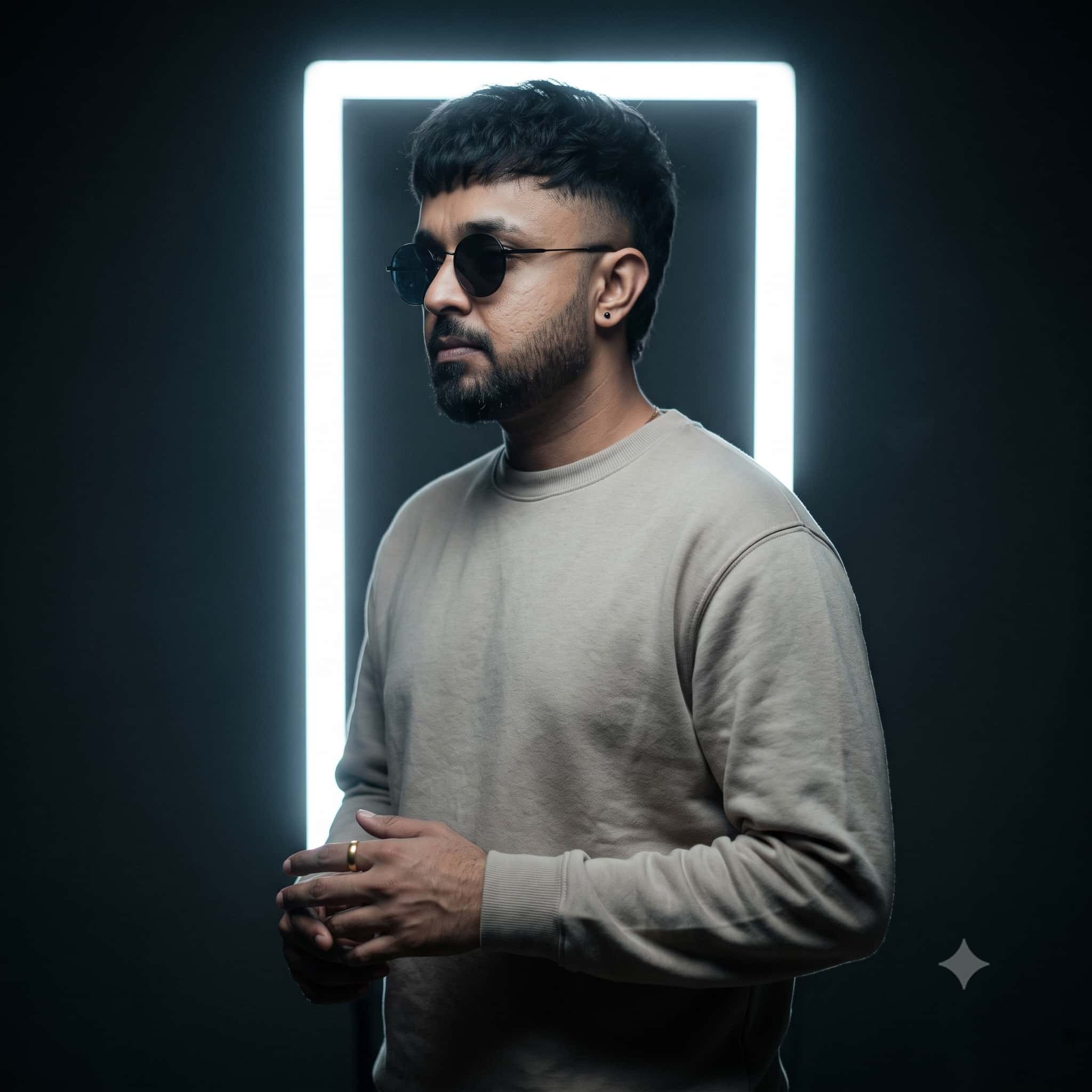
Have you ever uploaded your favorite casual smartphone selfie to an AI image generator, asked it to change the background to a luxury corporate office or a vintage film studio, only to receive an unrecognizable stranger who looks nothing like you? This dreaded "identity distortion" has been the single biggest frustration for digital creators.
Fortunately, with Google’s updated Gemini Advanced (powered by Imagen 3 / Google Flow), you can now perform professional-grade background replacements, atmospheric lighting shifts, and stylized photo shoots while keeping your exact face, natural skin texture, beard stubble, and facial proportions 100% locked.
In this comprehensive masterclass, you will discover the mathematical "Subject-Lock" Prompt Formula, step-by-step mobile and web workflows, and over 25 copy-paste prompt recipes designed specifically for Google Gemini.
🔐 The 4-Part "Subject-Lock" Prompt Formula
To stop Gemini from re-inventing your face, every prompt must follow this four-pillar architecture:
- Subject Identification: Clearly tell Gemini which element of the uploaded image is the reference anchor ("Using the uploaded photo as the strict identity reference...").
- Identity Preservation Constraints: Lock the physical attributes ("Keep facial features, eye shape, nose structure, facial hair, skin tone, and overall identity 100% identical without modification").
- Environment & Lighting Substitution: Describe the new background and enforce light matching ("Replace background with a minimalist studio... match the ambient lighting direction to the subject's face").
- Optical Camera Physics: Specify real-world lenses to prevent plastic AI smoothing ("Shot on Sony A7R V with 85mm f/1.4 lens, shallow depth of field, creamy bokeh, natural raw film grain").
How to Use Gemini for Face-Locked Photo Editing
Whether using the Gemini web app (gemini.google.com) or the official Google Gemini mobile app on Android or iOS, follow these three steps for maximum accuracy:
Upload a High-Resolution Reference Photo
Click the Plus (+) or Gallery icon in the Gemini prompt bar. Use a clear, well-lit photo looking toward the camera without heavy Instagram filters, sunglasses, or motion blur.
Paste the Strict Constraint Prompt
Copy one of our pre-engineered recipes below. Always keep the phrase "Do not alter or restyle the face" prominently at the start of your request.
Refine with Conversational Follow-Ups
If the background is too sharp or the clothing needs adjusting, do not start a new chat. Reply in the same thread: "Keep the subject's face identical, but make the background bokeh creamier and warmer."
Category 1: Executive LinkedIn Studio Headshots (From Casual Selfies)
Professional corporate photographers charge $300 to $800 for headshot sessions. These prompts allow you to take a casual selfie taken in your living room and convert it into a crisp, Fortune 500 executive headshot with tailored suits and soft studio lighting.
Using the uploaded photo as the strict identity reference, generate a professional corporate LinkedIn headshot of the person. Keep their exact facial features, skin tone, eye shape, and hairstyle 100% identical. Dress the subject in a sharp, modern charcoal-grey tailored business blazer with a crisp white shirt. Replace the background with a softly diffused, out-of-focus modern studio backdrop with subtle grey-blue gradient tones. Professional softbox three-point lighting, natural catchlights in the eyes, sharp focus on facial features, shot on Hasselblad H6D-100c with 85mm portrait lens, 8k resolution.
Transform the uploaded image into an executive editorial portrait. Preserve the exact face, beard stubble, and natural skin texture of the subject without alteration. The person is standing naturally in front of a floor-to-ceiling glass window of a luxury skyscraper office overlooking a panoramic city skyline during overcast daylight. Soft natural ambient window light illuminating the side of the face with gentle chiaroscuro shadows. Wearing a bespoke navy wool jacket. Shot on Sony A7R V with 85mm f/1.4 GM lens, beautiful circular optical bokeh, Forbes magazine cover style, 8k.
Category 2: 90s Retro Analog Film & Nostalgic Studio Flash
The #1 viral photo editing trend on Instagram and TikTok in 2026 is transforming modern phone selfies into authentic 1990s yearbook and studio flash portraits. The secret is prompting for direct on-camera flash falloff, Kodak film stock grain, and subtle chromatic aberration.
Using the uploaded reference photo as strict identity anchor, recreate the person in an authentic 1990s vintage film studio portrait. Do not alter their facial features, jawline, eye structure, or skin tone. Replace the background with a classic textured mottled blue-grey canvas studio backdrop. Authentic on-camera direct flash creating distinct soft shadows directly behind the subject, visible 35mm analog film grain, warm nostalgic color grading of Kodak Portra 400, slightly softened vintage optics, authentic 90s wardrobe styling, raw unretouched film aesthetic.
Category 3: Aesthetic Outdoor Lifestyle & Parisian Street Cafes
Want an Instagram travel aesthetic without booking an international flight? These prompts isolate your subject and drop them into picturesque European cobblestone alleys and sunlit cafe terraces with natural golden hour lighting.
Strictly keep the face, facial proportions, skin tone, and expression of the uploaded reference photo 100% unchanged. Place the subject sitting at a small round marble bistro table outside a vintage Parisian sidewalk cafe during sunset golden hour. Warm directional sunlight illuminating the side of their face, creating warm rim lighting through hair. A ceramic coffee cup and open book rest on the table. Blurred romantic cobblestone street in deep background with warm golden bokeh. Shot on Leica M11 with Summilux 50mm f/1.4 lens, cinematic 8k.
Category 4: Moody Cyberpunk & Neon Rain Reflections
Dual-tone gel lighting pushes Gemini's diffusion engine to render high-contrast color reflections across human skin pores while maintaining recognizable facial anatomy.
Recreate the exact person from the uploaded photo in a cinematic cyberpunk street scene at night. The face, facial structure, skin texture, and eye shape must remain completely identical without modification. The subject is wearing a high-collar dark tactical streetwear jacket, standing on a rain-slicked Tokyo alleyway. Vibrant dual neon lighting: electric cyan rim light from one side and warm magenta neon reflections bouncing softly off their cheeks and wet asphalt. Moody dark blue shadows, anamorphic lens flare, shot on Sony FX3 with 35mm f/1.4 GM lens, 8k.
🛠️ Troubleshooting: How to Fix Common Gemini Editing Glitches
Issue 1: Gemini softened my skin and made it look plastic
Fix: Diffusion models default to skin smoothing unless instructed otherwise. Append: "Preserve natural skin micro-pores, fine wrinkles, subtle blemishes, and natural unretouched skin texture. Avoid airbrushing or porcelain skin."
Issue 2: The background looks cut-and-pasted with weird halos
Fix: This happens when the subject's lighting doesn't match the new environment. Add the cue: "Seamlessly harmonize ambient lighting and shadow casting between the subject and the new background; ensure realistic rim light wrap around shoulders and hair."
Issue 3: Gemini altered the smile or eye shape
Fix: Explicitly specify: "Retain the exact facial expression, eye gaze, and mouth shape from the base image. Only modify the environment and wardrobe."
🛡️ Universal Face-Lock Negative Prompt
Add this to your negative prompt parameters in Flux, Midjourney, or Gemini Advanced to prevent unnatural facial morphing and airbrushed artifacts:
altered facial features, face swap distortion, mismatched lighting, cut-out halo edges, overly smoothed skin, airbrushed plastic face, doll-like eyes, cartoonish render, distorted ears, deformed hands, extra fingers, low resolution, blurry JPEG compression artifacts.
Top 10 Best Free AI Image Generation Tools in 2026
Compare zero-cost Midjourney alternatives including Google Gemini Imagen 3, Flux.1, Recraft V3, and Ideogram 2.0.
Top 50 Negative Prompts for AI Art (2026 Master Cheat Sheet)
Prevent plastic skin, deformed hands, and distorted pupils across Midjourney, Flux, and Gemini.
Frequently Asked Questions (FAQ)
Can Google Gemini edit photos and keep the same face?
Yes. Google Gemini Advanced (powered by Imagen 3 and Google Flow) supports multi-modal image-to-image workflows. By uploading a clear reference selfie and using strict identity-lock prompt constraints, you can swap backgrounds, lighting, and clothing while keeping the facial structure intact.
What is the prompt formula to prevent Gemini from changing my face?
Always begin your prompt with: "Using the uploaded photo as the strict identity reference, keep the facial features, eye shape, nose structure, facial hair, and skin tone 100% identical without modification. Do not alter or restyle the face."
Is Google Gemini photo editing free?
Yes, Google Gemini offers generous free image generation allowances using Imagen 3 on gemini.google.com and the official Gemini mobile app for Android and iOS.
How to avoid plastic skin when editing portraits in Gemini?
Add optical camera tags like "shot on Sony A7R V with 85mm f/1.4 lens, natural skin pores, delicate facial creases, realistic subsurface scattering, shallow depth of field, raw 35mm film grain".
Want Custom AI Photo Editing Prompts Instantly?
Use our Free AI Prompt Builder to dial in exact camera models, lighting setups, age groups, and cinematic film stocks with one click.
Launch AI Prompt Builder Free